capcut pro download for free in 2026
capcut pro download for free is the paid subscription option offered by CapCut, the video editing app used for short videos, social media content creation, tutorials, promotional video making, and similar creative endeavors. The free edition of CapCut comes with a wide range of editing tools, and the Pro version gives users access to additional premium tools and features for more complex tasks. Based on CapCut’s latest help guide, the Pro version offers premium templates, effects, advanced AI options, increased cloud storage, and other premium features that would come in handy when creating videos.
When trying to find out how to download CapCut Pro for free, it is worth mentioning that CapCut Pro and downloading CapCut are two separate things. The app itself is available for download, but CapCut Pro requires subscribing. There are some regions where CapCut allows users to try out Pro features in a trial mode.
CapCut Free vs Pro Features
The basic CapCut free editing tools are sufficient for many users. With the use of the app, you can trim clips, arrange your footage, add texts, effects, audio, and make social media videos without a paid subscription.
Is CapCut Pro Available for Free?
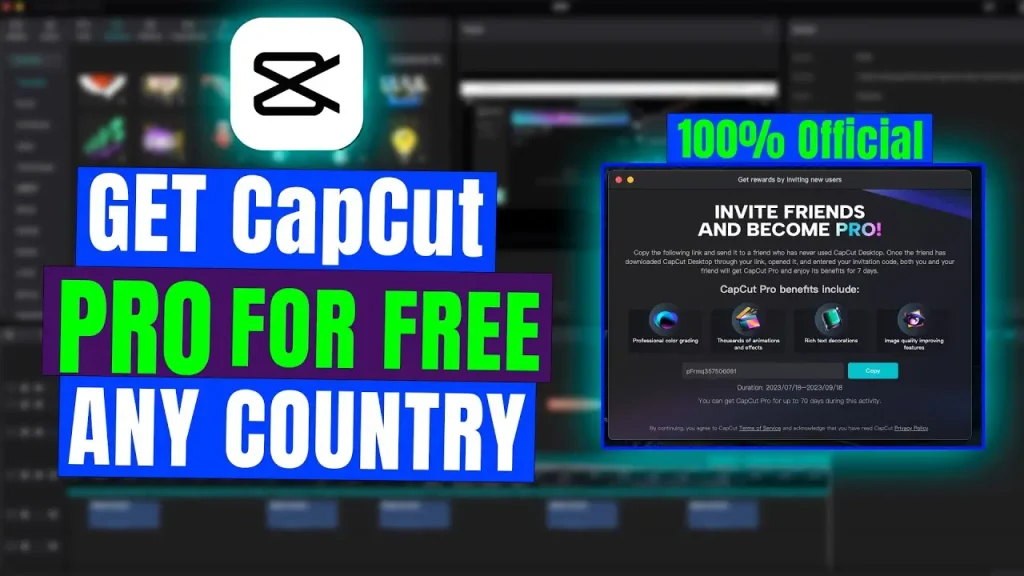
Yes, eligible users might use CapCut Pro using a valid free trial program from CapCut. As per the latest documentation provided by CapCut, there exists a 7-day Pro trial for eligible new users from supported regions. The availability might vary depending on your region, account history, app version, and promotional offer in play.
It is always better to go this route instead of looking for an unofficially modified “Pro unlocked” version. In such case, your work will be done using a legal free trial version instead of an altered app version.
Free Trial by CapCut
To check the availability of a free trial offer, launch CapCut and sign in with your account. Check for the option that allows you to “Join CapCut Pro” or “Upgrade to Pro.” If your account meets the criteria, then CapCut might show you an option for a free trial before presenting the subscription options.
Please note that free trial criteria keep changing with time. Some free trials come with certain criteria including having to provide a payment method and automatically renewing your subscription at the end of the trial period unless canceled within the billing cycle according to terms.
How to Get CapCut Pro Safely
The safest way to access CapCut is through the official CapCut website or the official app distribution channel for your device. This approach reduces the risk of downloading a modified application containing unwanted software or altered files. CapCut itself recommends keeping its software updated because newer versions can include security, compatibility, performance, and feature improvements.
Mobile Method
On a phone or tablet, install the official CapCut application through the appropriate official app store available for your device. After installation, open the app and sign into your CapCut account. Navigate to your profile area and look for the Pro subscription option.
If a free trial is available for your account and region, the option should appear during the official subscription process. If you don’t see a trial, that does not necessarily mean something is wrong; CapCut states that free-trial eligibility depends on factors such as region and previous subscription history.
PC and Web Method
CapCut is also available through its web and desktop experiences. On the web version, sign in and check the Pro section from your account area. On desktop, the application can connect your account with your subscription status, while purchasing may be handled through the web subscription flow.
Using the same account across supported platforms can make the workflow convenient when you edit on a phone and later continue working on a computer. The exact features available across plans can change, so check the current CapCut account and subscription information before starting a project.
CapCut Pro Features
One of the biggest reasons creators search for CapCut Pro is the collection of premium editing tools. Depending on the current plan and region, Pro can provide advanced AI capabilities, premium effects, templates, commercial-use resources, and additional cloud storage. CapCut currently describes features such as camera tracking, auto captions, AI avatars, and AI-generated content among its advanced Pro capabilities.
AI Editing Tools
AI has become an important part of modern video editing. Instead of manually performing every repetitive task, creators can use AI-powered features to speed up parts of their workflow. CapCut’s current Pro information references tools such as AI-powered generation, auto captions, camera tracking, AI avatars, and other AI features.
For someone producing frequent social-media content, these tools can save editing time. However, AI features may have their own usage limits or credit systems. CapCut explains that credits and Pro subscriptions are separate: credits can be used for certain AI features, but existing credits cannot be used to purchase a Pro subscription.
Premium Templates and Effects
Templates can dramatically reduce the time required to create a polished social-media video. Instead of designing every transition, animation, and text movement manually, you can start with an existing template and customize it with your own footage.
Pro also provides access to premium creative resources. CapCut’s current Pro documentation mentions premium templates, effects, filters, body effects, text styles, and other creative materials.
Cloud Storage and Cross-Platform Editing
Cloud storage is another useful part of the Pro experience. CapCut’s documentation currently lists expanded cloud storage for Pro, with its updated plan information describing storage of up to 1TB in the upgraded Pro offering.
For creators working on multiple devices, cloud-based projects can make the editing process more flexible. You might begin a project on a phone, continue it on a computer, and keep project resources connected through your account. The exact cross-platform functionality depends on the plan and current CapCut service structure, so checking your account’s current plan details is important.
CapCut Pro Pricing
There isn’t one universal CapCut Pro price that applies to everyone. CapCut states that pricing can vary according to region, device, and available promotions. The company recommends checking the subscription page inside CapCut or on CapCut Web to see the current price available to your account.
CapCut currently describes monthly and annual Pro subscription options. The annual option is intended for users who want longer-term access, while the monthly option provides a shorter commitment.
Because prices and promotions can change, copying an old price from another website can be misleading. The most reliable figure is the one displayed on your own official CapCut subscription page at the time you subscribe.
Why Avoid Modified APKs?
Searches for “CapCut Pro APK,” “CapCut Pro unlocked,” or similar terms can lead to unofficial modified applications. These versions are not the same thing as an official CapCut Pro subscription or trial. Altered applications can create security and privacy risks, and you may also lose access to important updates or encounter compatibility problems.
There is another practical issue: an unofficial version may stop working after an update, while an official installation can receive normal updates and support. CapCut’s own help center recommends using the latest version rather than older software because older versions can contain known defects or security vulnerabilities.
For a long-term editing workflow, the official version is therefore the straightforward route. If your goal is simply to test premium tools without paying immediately, check whether the legitimate free trial is available rather than relying on an unofficial modified build.
Tips for Better CapCut Editing
Good editing is not only about having access to premium features. A creator can produce an excellent video with basic tools when the story, pacing, audio, and visuals work together. Start by deciding what the viewer should understand or feel within the first few seconds. Then remove unnecessary pauses and clips so the final video moves naturally.
Use text carefully rather than filling every part of the screen with captions. Keep important information readable and make sure transitions support the content instead of distracting from it. Audio quality is equally important because even a visually attractive video can feel unprofessional when speech is difficult to hear.
Finally, export your project using settings appropriate for its destination. A short vertical social-media video has different requirements from a long-form desktop presentation. Before exporting, review the resolution, frame rate, audio, aspect ratio, and any Pro-only elements in the timeline.
Conclusion
CapCut Pro download for free is best understood as a search for legitimate access to CapCut’s premium editing features rather than simply downloading an unofficial unlocked application. CapCut provides a free version, paid Pro plans, and free-trial opportunities for eligible users in supported regions. Current Pro features include premium creative resources, advanced AI tools, expanded cloud storage, and additional editing capabilities.
If you’re interested in trying Pro, check your official CapCut account for a current free-trial offer. If no trial is available, you can continue using the free tools or review the subscription price shown for your region. This approach keeps your editing workflow connected to the official service while giving you a clear understanding of what is actually included.